Every seat, solved.
The seating chart that does itself.
Sofia & Marcos
150/150 seated
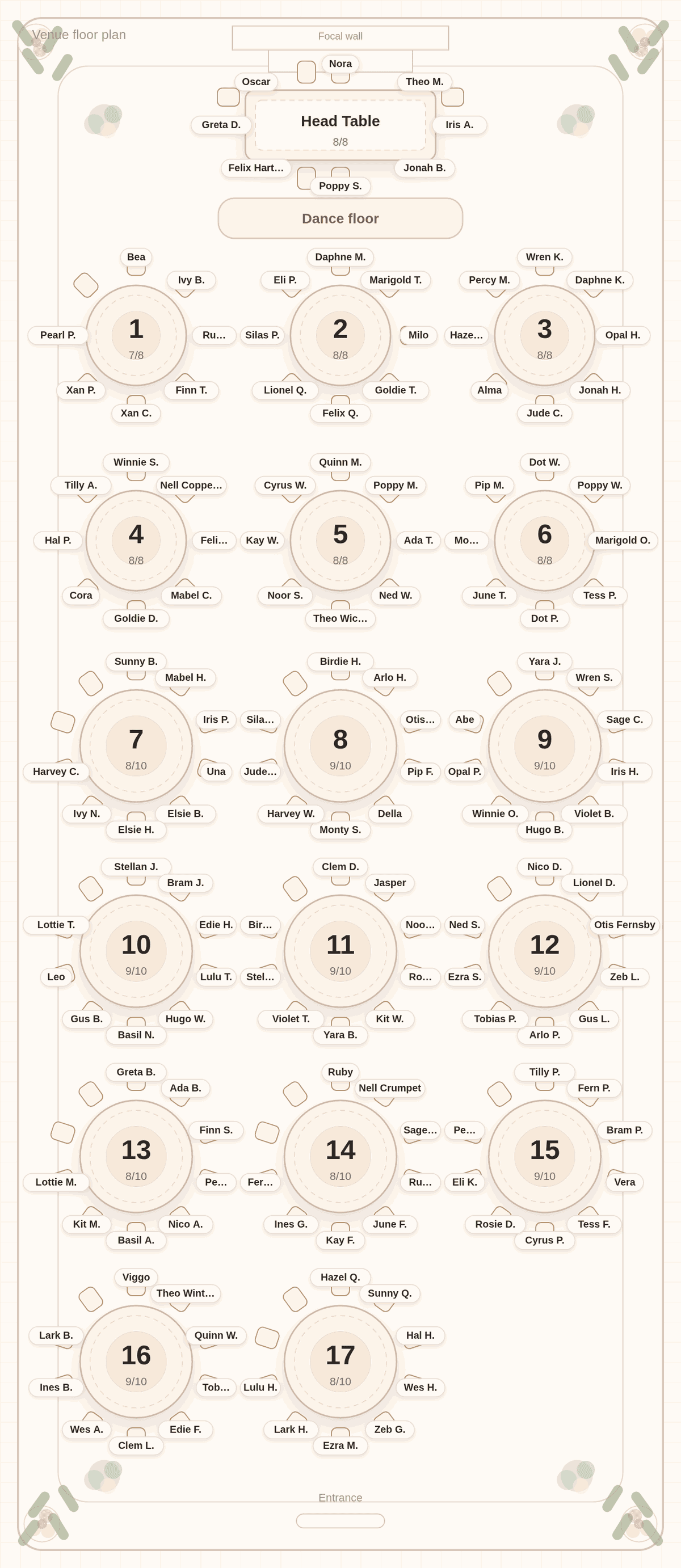
Paste your guest list. Tell us who cannot sit together. Press Solve.

Proof, not promises
See it before you pay for it.
What your guests get
Find my seat
A page where each guest types their name and sees their table.
What you get
Four real printables
- A poster chart for the entrance, Letter or 18 x 24
- Tent-fold place cards, one per guest
- An alphabetical escort list
- A find-my-seat link to text your guests
Preview free. Unlock $29 for the final files.
See unlock · $29Every image on this page is a real chart from the app, and everything above is what actually prints or sends: a poster, place cards, an escort list, a find-my-seat link.
Recorded in the app
Watch it solve a wedding.
Eighteen seconds, recorded in the app: paste the list, press Solve, pick the venue.
Try it with your list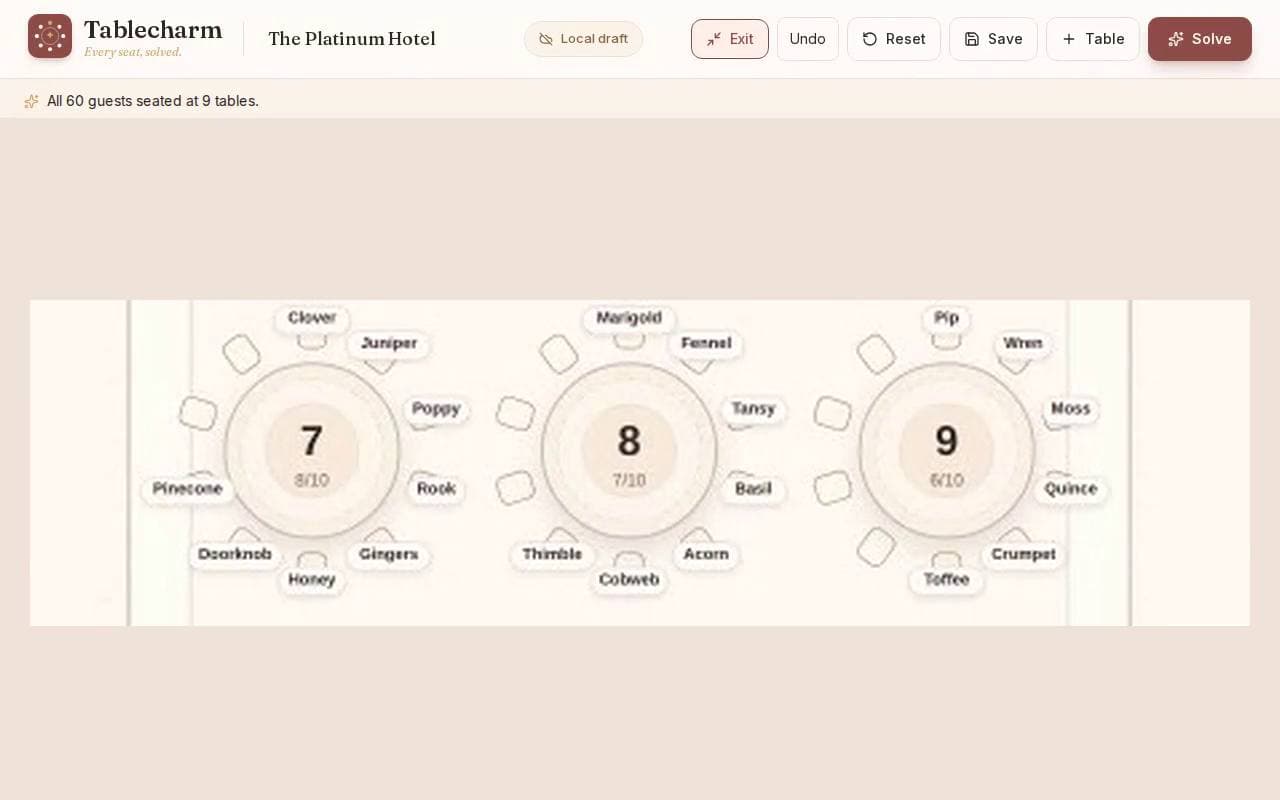
0:18 · muted
From the editor
A layout sized to your venue's published capacity
Three named rooms, captured from the editor at the published capacity. The guest names are fictional. Opening one asks how many guests you have. It does not fill every published table unless the list needs them. Template, not a verified floor plan.
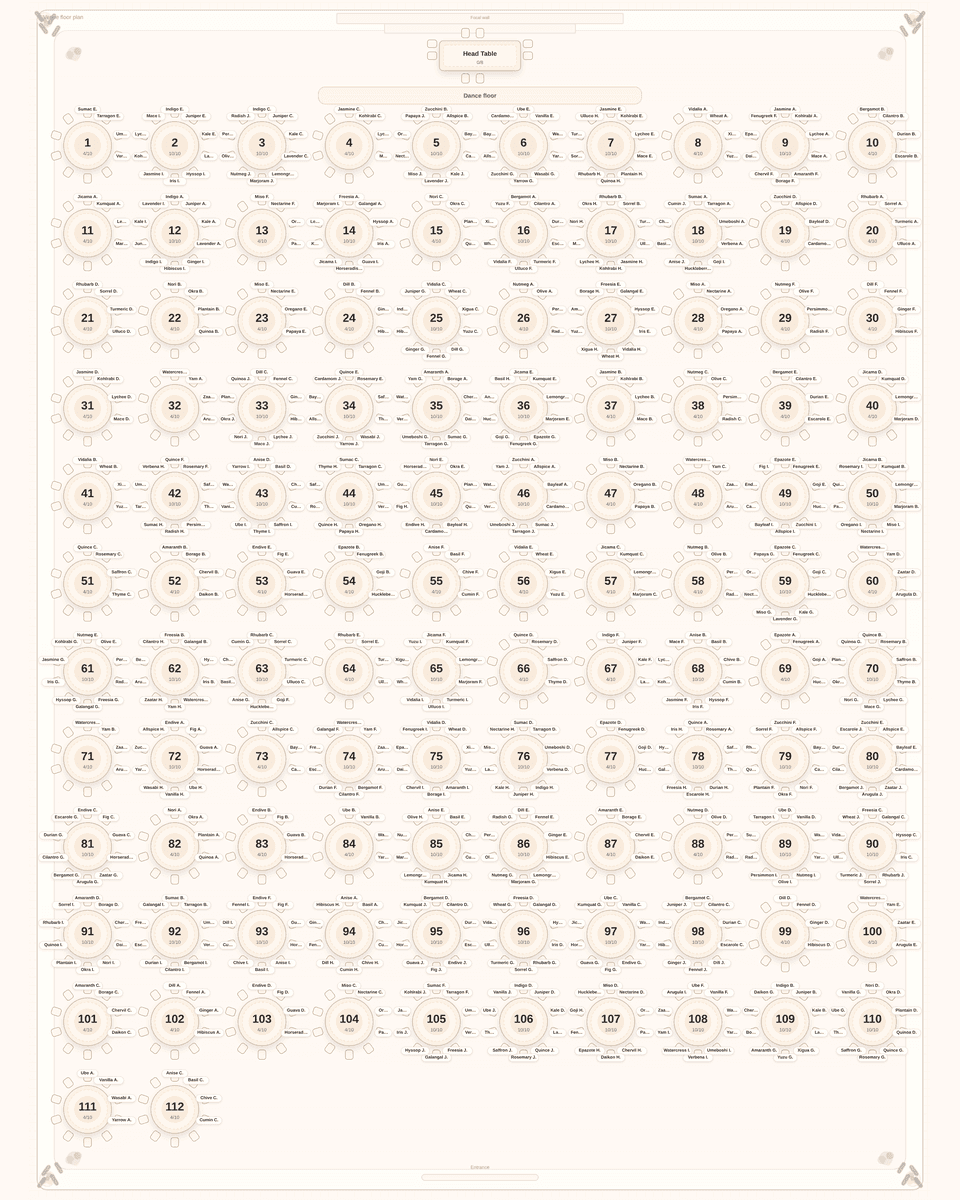
The Post Oak Hotel at Uptown Houston
A layout sized to your venue's published capacity. Classic ballroom, up to 112 rounds of 10, sized to the 1,120 seated guests the venue publishes for the Grand Ballroom. Template, not a verified floor plan.
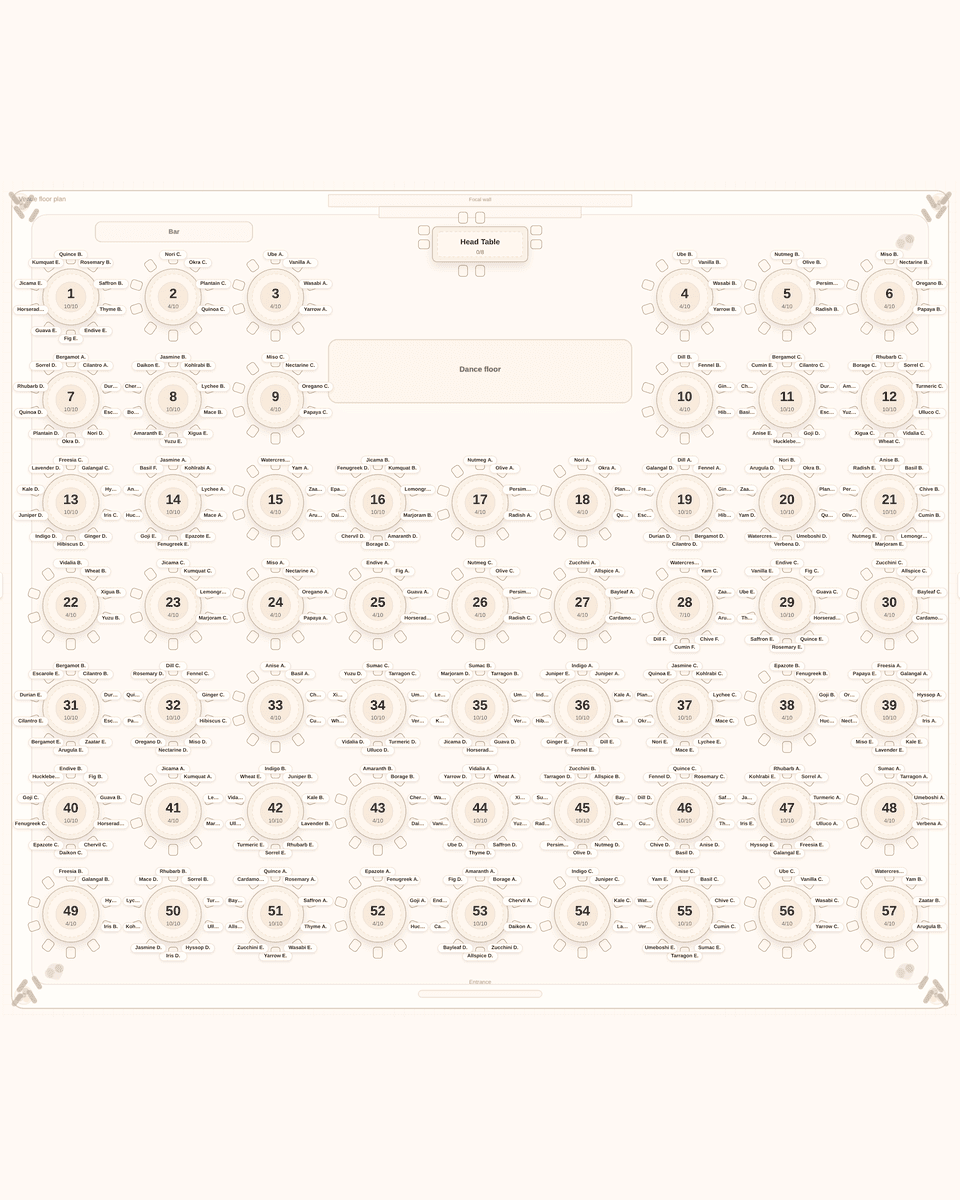
JW Marriott Las Vegas Resort & Spa
A layout sized to your venue's published capacity. Center dance floor, up to 57 rounds of 10, sized to the 570 seated guests the venue publishes for the Valencia Ballroom. Template, not a verified floor plan.
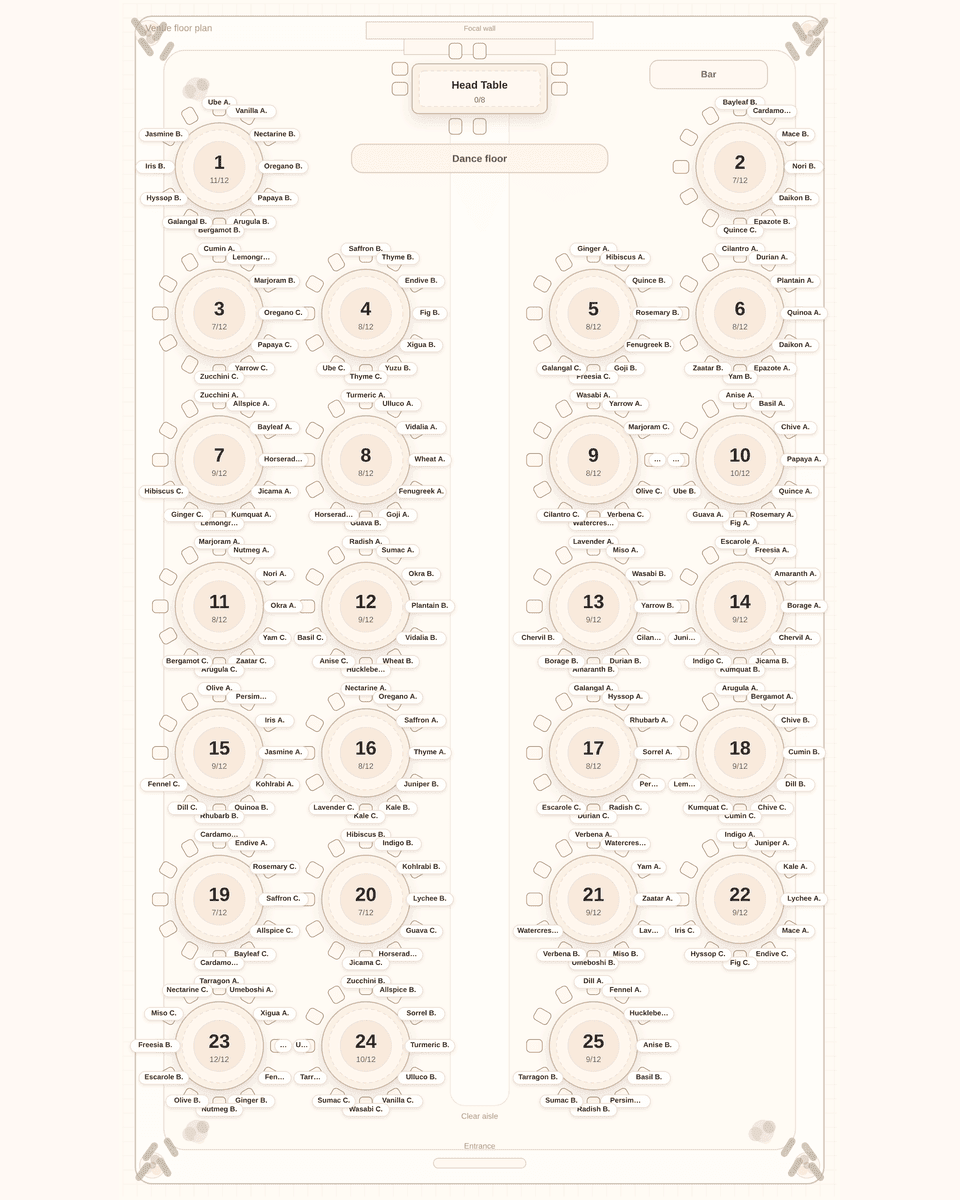
The Menger Hotel
A layout sized to your venue's published capacity. Long hall, up to 25 rounds of 12, sized to 300, the lower of the 300 and 350 figures the venue publishes for the Menger Grand Ballroom (Ballrooms A, B, C combined). Template, not a verified floor plan.
How it works
Three steps between you and a finished chart.
01
Paste your guest list
Straight from Notes or a spreadsheet. Plus-ones, couples, and “The Rivera Family (4)” are detected and kept together automatically.
02
Add the family politics
Keep these two apart. Keep this family together. Seat grandma near the head table. Say it once; the solver never forgets.
03
Press Solve
Watch every guest fly to a seat in the room layout. Drag anyone to fine-tune, lock tables you love, solve again.
Wedding-day ready
Everything the venue asks for, ready to print.
Tablecharm is not a diagram tool - it hands you the finished stationery: a poster for the easel, tent-fold place cards for every setting, an alphabetical escort list for the entrance, and a find-my-seat link your guests can open from the invitation group chat.
Poster chart
Letter or 18 x 24, matched to your floor plan
Place cards + escort list
Tent-fold cards, six per sheet, plus the A-Z list
Find-my-seat link
Guests search their name, see their table
Solve again anytime
RSVPs change; your chart keeps up
Table 4
Aunt Rosa
we saved you the good seat
Sofia & Marcos · June 14
Escort list
Pricing
Free to try. You have planned enough.
Divorced parents, feuding cousins, the college table, the kids table - Tablecharm juggles all of it at once, the way you have been trying to do on sticky notes at midnight. You get final say on every seat. You just do not have to start from zero.
One wedding
forever
$29
- ✦Final files without the Preview mark
- ✦Printable seating poster (Letter and 18 x 24)
- ✦Tent-fold place cards and alphabetical escort list
- ✦Find-my-seat link to text your guests
- ✦CSV for your planner or venue
Optional Print Pack: three place-card styles, $9.
Free: paste, solve, edit, set rules, and review every table and name in a marked preview. Paid: download final files and publish the guest link.
Unlock one wedding · $29Build the chart free. Unlock $29 when you print.
No subscription.
Refund on request within 7 days of purchase, even after you download, print or share. To request a refund, email hello@tablecharm.app.
Do it yourself
$29
- You arrange the chart in the app.
- One wedding app unlock.
- Print Pack optional for $9.
Done for you
$45
- We arrange the chart and deliver the finished files.
- Within two business days after payment and complete information.
- One revision and the same-wedding app unlock included.
- Print Pack not included.
FAQ
Questions couples ask
How does Tablecharm build the seating chart?
Paste your guest list, then add the rules that matter: keep these two apart, keep this family together, seat this guest near the head table. Press Solve and Tablecharm assigns every guest to a table while respecting your rules and each table's capacity. You can still drag anyone to a new seat afterward.
How much does it cost?
The editor and solver are free, including a full readable preview of every table and guest assignment. Pay $29 once to download final files and publish the guest link. There is no subscription and no account to create. An optional Print Pack adds matching place-card styles for $9. Refund on request within 7 days of purchase, even after you download, print or share. To request a refund, email hello@tablecharm.app.
Can I edit the chart after solving?
Yes. Drag any guest to a different table, lock the tables you are happy with, and press Solve again to rearrange only the rest. Your changes stay in your browser until you save or unlock.
What can I print or share?
A poster seating chart (Letter or an 18 by 24 inch version), tent-fold place cards, and an alphabetical escort list, plus a CSV for your planner. Payment provides final file downloads and a private find-my-seat link to send to guests.
Will it handle divorced parents and family feuds?
That is what the solver is for. Mark the pairs who cannot share a table as a hard keep-apart rule, and Tablecharm will separate them across every arrangement it tries while keeping the tables balanced so no one feels exiled.
Do I need to design the tables first?
No. Paste your names and Tablecharm will ask whether the venue already has tables or should suggest a room. You can also start from a venue on this page. A layout sized to your venue's published capacity. The page asks how many guests you have and does not open the venue maximum unless the list needs it. You can still change the tables after that.
Keep reading
A seating chart maker that decides the seats
How Tablecharm differs from the design tools that lay out the sign and leave the hard part to you.
Read onWhat a seating chart generator can and cannot do
Where an automatic arrangement helps, and the family decisions it will never make for you.
Read onSeating chart templates by table shape
Start from a room that already matches your venue: rounds, long tables, a head table, or a mix.
Read on✦
Your seating chart, solved tonight.
Paste the list. Press Solve. Pour the wine.