Classic ballroom seating chart
Head table at the front, rounds in a grid, dance floor between them. The room shape a traditional banquet already has.
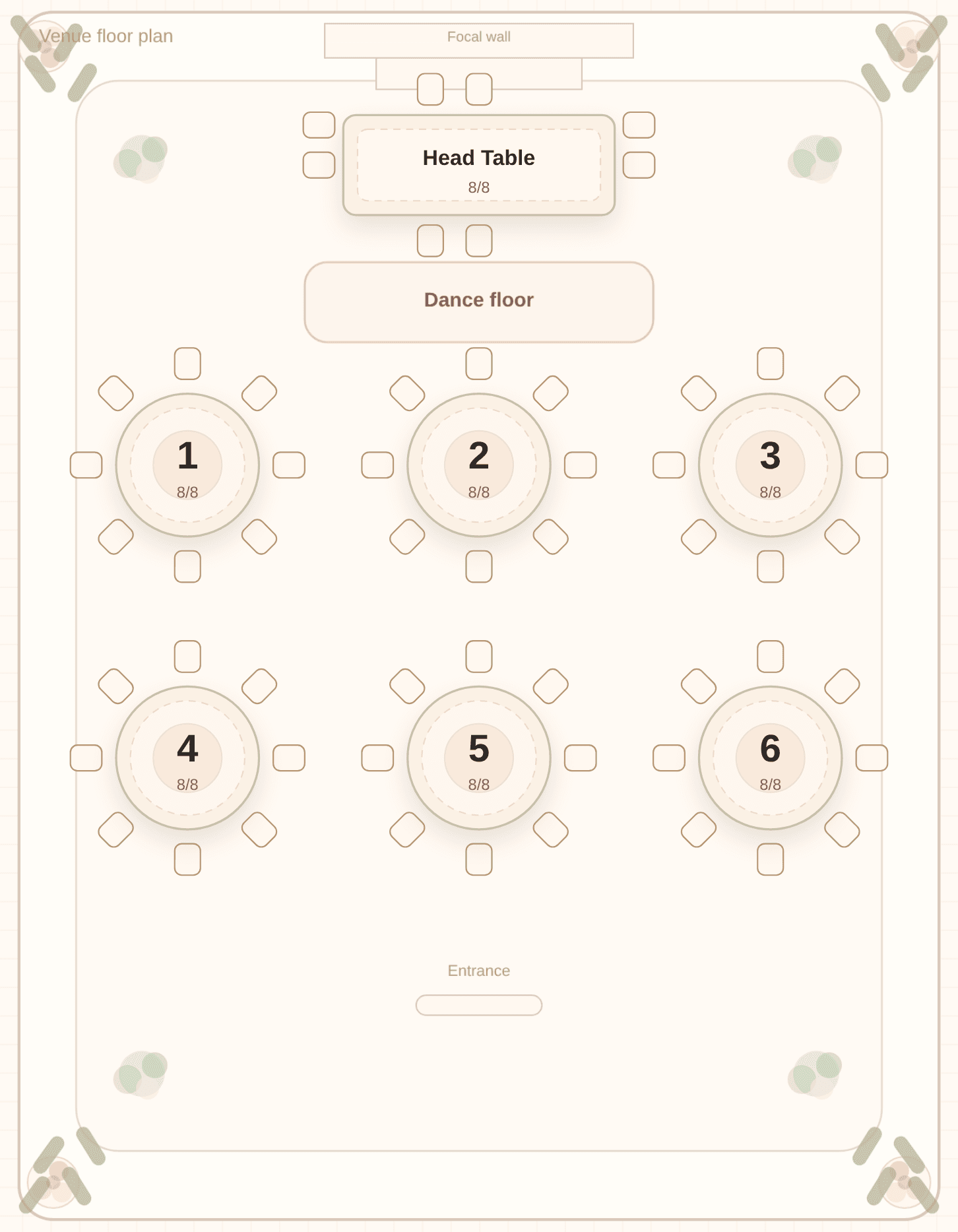
A classic ballroom puts the couple at a head table facing the room, with round tables in a simple grid and a dance floor in front of the first row. It is the layout Tablecharm opens with, because it matches a traditional banquet room.
This shape works when you want a reception that faces the couple. Speeches happen from the front, guests can see the head table, and the rounds are easy to walk between. It also works when you are not sure yet. You can start here and switch to a long hall or a garden layout later if the room turns out to be a different shape.
The solver does not invent furniture. It fills the tables that are already on the floor plan. You paste the guest list, add who must sit together and who must stay apart, and press Solve. Households stay together, hard keep-apart rules are honored, and each table's seat count is treated as a hard limit. Anyone you pin to the head table stays there on the next solve.
Choosing Classic ballroom in the editor rearranges your existing tables into that grid and turns on the front dance floor and the focal wall. You can still drag a table, change how many it seats, or hide the dance floor after that. Arranging people and arranging furniture are separate steps. Solve only does the first.
Template
Try this room with your list
Open the editor, pick Classic ballroom on the Tables tab, paste your guests, and press Solve. The layout places the furniture; the solver fills the seats.

Review every table and guest name free in a marked preview. Payment is for final file downloads and the guest link.
Questions couples ask
What is a classic ballroom layout in Tablecharm?
A head table at the front, round tables in a three-column grid, a dance floor in front of the first row, and a focal wall. It is the editor's default room.
Does the solver move tables around the dance floor?
No. Choosing this layout places the tables and the dance floor. Solve assigns guests to those tables from your list and your rules. You can still drag a table yourself after that.
Can I change this after I start?
Yes. Switch to long hall, garden, or center dance floor any time. The tables rearrange to the new pattern. Press Solve again so the seating matches the new capacities, especially if the head table changes size.
Other room shapes
Prefer to start from a guest list you already keep somewhere else? See how to import a spreadsheet or browse the seating chart guides.