How to
How to make a wedding seating chart
Start from your people, not a grid of empty circles. Six steps, shown on a solved chart of 80 made-up guests.
Updated
Most seating charts stall in the same place: a blank floor plan, a long list of names, and no obvious first move. The way out is to stop thinking about circles and start thinking about groups. Who arrives together, who needs to be near you, and who cannot share a table. Once those few things are written down, the tables mostly fill themselves.
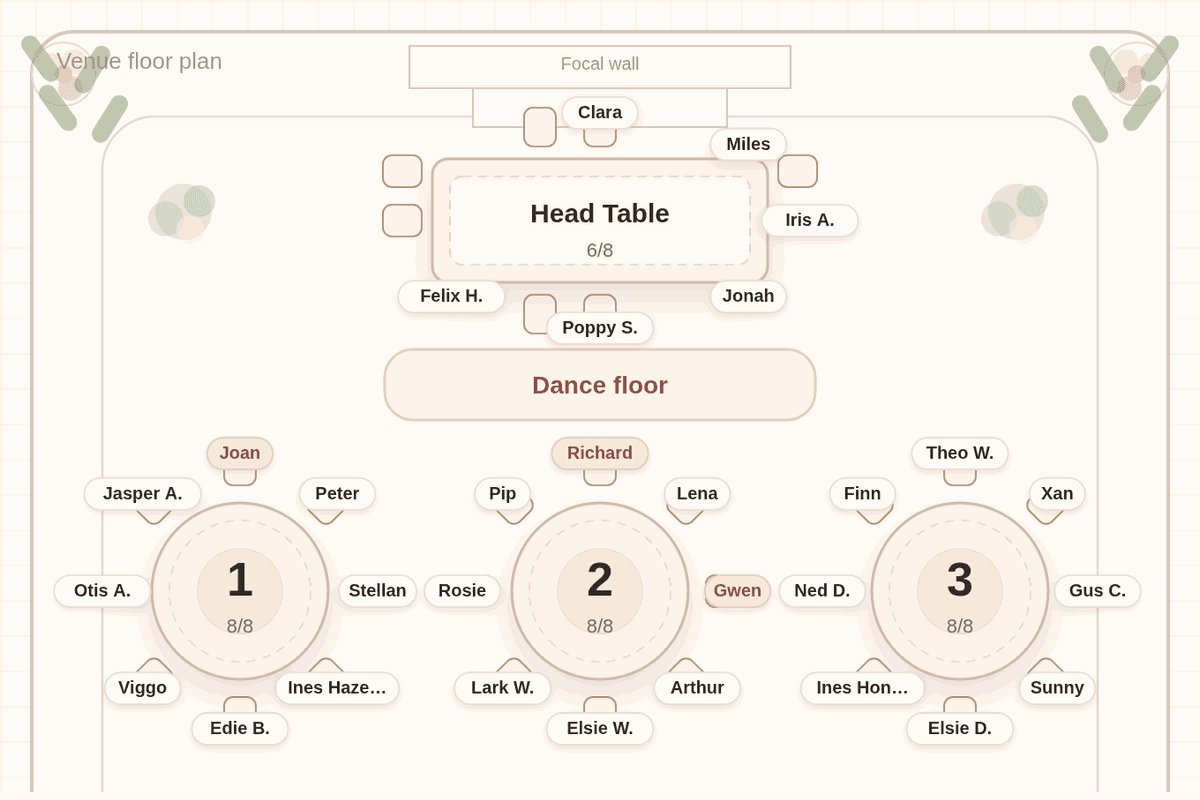
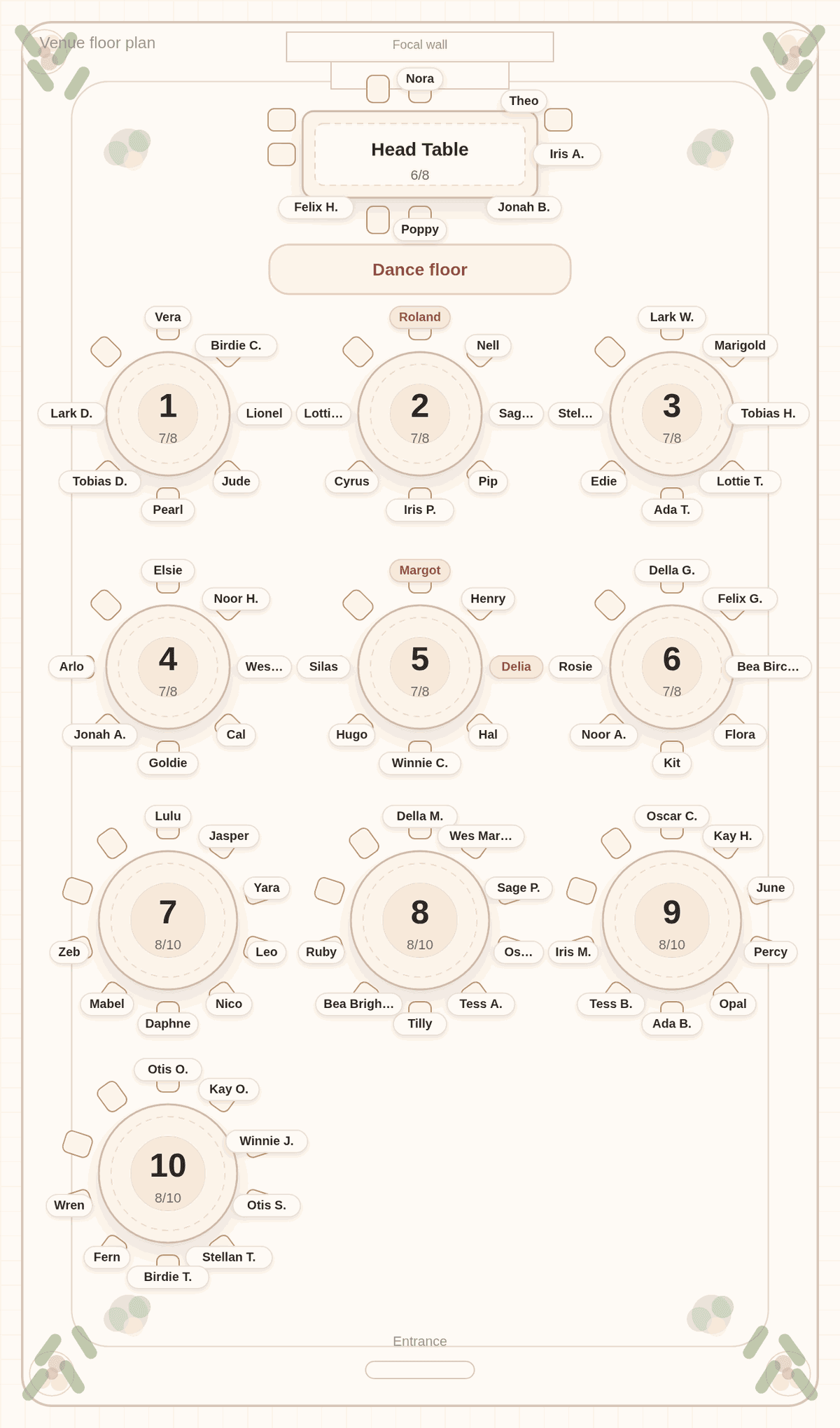
This guide walks through the process on a real chart. We pasted a made-up list of 80 guests into Tablecharm, tagged the couple and four attendants for the head table, kept the groom's divorced parents apart, and asked for the parents to sit near the front. The chart below is exactly what the solver produced.
Step 1: Get every name into one list
Before you touch a floor plan, get the whole guest list into one place, one line per household. Write couples on the same line ("Margot and Henry Quillfeather"), add "+1" after anyone bringing a guest, and mark children with "(kid)". That single habit does a surprising amount of work, because the people on one line are the people who should never be split.
Tablecharm reads a list written this way and keeps each line's people together. If your list already lives in Zola, The Knot, Joy or a spreadsheet, you can import the CSV instead of retyping it.
Step 2: Count seats before you count people
Next, find out what furniture you actually have. Ask the venue how many tables fit and how many chairs each one takes. Then do the arithmetic before you seat anyone, so you are not discovering a shortfall at table eleven.
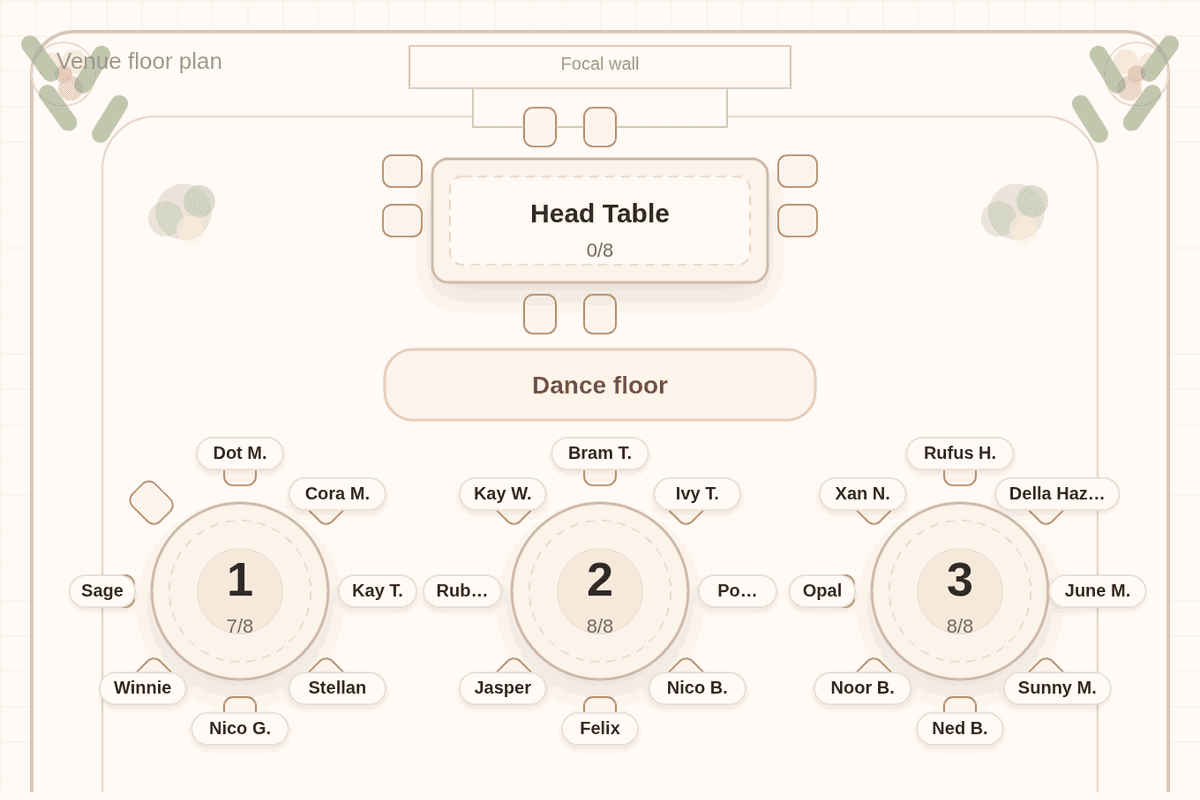
On our chart, the starting room had a head table and six rounds of eight, which is 48 seats for guests. For 80 guests the app offered to add four rounds of ten, for 88 guest seats in all. Once six people moved to the head table, 74 guests had 88 seats at the rounds. Those open seats are not waste. They are what lets families stay whole. There is more on the math in how many tables you need.
Step 3: Decide the head table first
The head table is the one decision guests notice first, so settle it before anything else. A long table with the wedding party, a table with parents, or a sweetheart table for two are all correct. Our head table etiquette guide covers the tradeoffs.
In Tablecharm, the head table stays empty unless you put people there. Tag the two of you "couple" and your attendants "wedding party", or drag them onto it, and the solver seats them there and keeps everyone else off it. That is why the chart above shows six people at the head table and nobody who wandered there by accident.
Step 4: Write down the few rules that matter
Now list the constraints, and be stingy. Most charts need only a handful:
- Keep apart: two people who should not share a table.
- Keep together: a group that must stay whole, beyond the households you already pasted.
- Seat near the head table: parents, grandparents, anyone who should feel close.
For each keep-apart or keep-together rule you choose "Absolutely must" or "If possible". Save "Absolutely must" for real conflicts. Our chart has one: Delia and Roland, the groom's parents, apart. It also has three near-the-head-table preferences, one for each set of parents. Every rule you add removes options, so a short list gives the solver room to seat everyone well.
Step 5: Solve, then look at it like a guest
Press Solve and read the result table by table, the way a guest would. Does everyone know somebody? Are the loud cousins near the dance floor and the grandparents out of the speaker's path?
Tablecharm flags guests who know nobody at their table, judged from households, shared tags and neighboring lines in your list. If you disagree with a placement, drag the guest to another table. That move becomes a pin the next solve respects. Every solve after the first moves as few guests as it can and tells you what moved, so fixing one table does not reshuffle the room.
Step 6: Print everything from the same chart
The last step is paper. A venue usually wants a list; guests want a sign. From one solved chart Tablecharm exports a chart poster, an alphabetical Find Your Seat poster, place cards, an escort list, a compact list for the venue and a CSV. Because they all come from the same arrangement, they cannot disagree with each other. The printable seating chart guide covers what goes where.
Questions couples ask
What is the first step in making a wedding seating chart?
Get every guest into one list, one line per household, with couples and plus-ones on the same line. Everything after that, from table count to rules, is easier once the groups are clear.
Do I have to give every guest a specific chair?
No. Assigning tables and letting guests choose chairs is the common approach. Tablecharm assigns tables, not chairs. See assigned tables vs assigned seats.
When should the seating chart be finished?
Finish it once nearly all replies are in, often a week or two before the wedding, and check your venue's deadline. Start the draft earlier. The timing guide has a schedule.
Can I make a seating chart for free?
In Tablecharm you can paste your list, add rules, solve, and review every table and name in a marked preview without paying or making an account. Final file downloads and the guest link require a one-time payment per wedding.
Make yours from your own list
Paste your guests below, one household per line. You will get the same kind of room plan offer, and the same solver, as the chart above.
No list handy? Try it with a sample list first. The editor and solver are free, with every table readable in preview. Payment is for final files and the guest link.

Useful next
- Seating chart maker: what Tablecharm does that a design tool does not
- Head table etiquette: who sits with you, and who sits nearby
- Classic ballroom layout: the room shape used in this chart
- Import your guest list: from Zola, The Knot, Joy or a spreadsheet